concepts
Branches and Commits
How Glyph syncs Git history and lets you navigate any commit.
Glyph mirrors your repository's branch and commit history. Every doc, comment, and reference is anchored to a specific commit - see Documentation Model for why this matters.
How sync works
When a project is created and on every manual or scheduled sync:
- Glyph runs
git fetch originthengit pullon the default branch. - It iterates
git logfor the default branch and inserts every commit it doesn't already know about into the database. - The file tree at
HEADis reindexed in Meilisearch.
This is incremental - only new commits are inserted on each sync. The first sync of a large repo can take a few minutes; subsequent syncs are seconds.
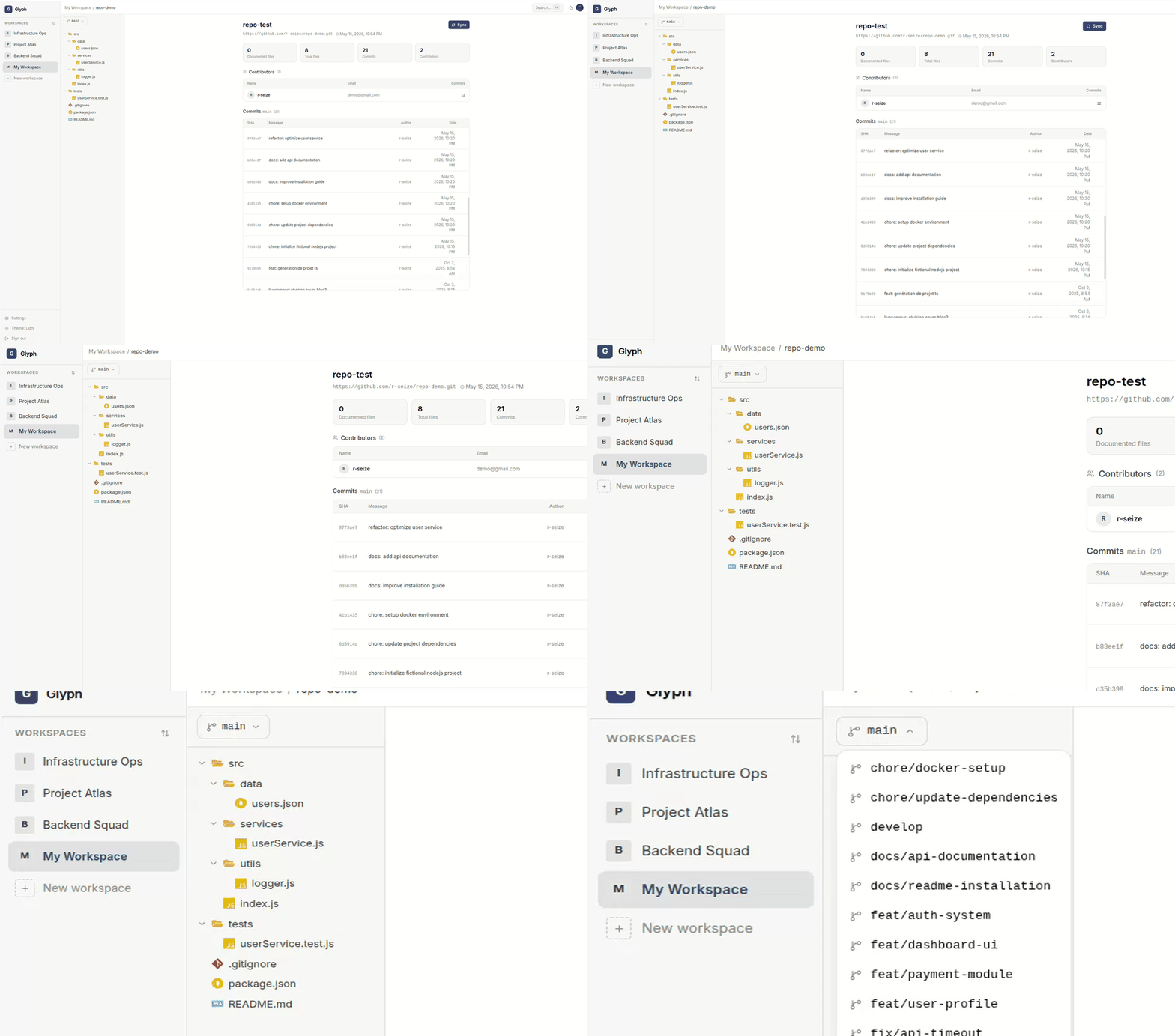
Branch selector
The dropdown above the file tree lists every branch present in the local clone. Switching:
- Reloads the file tree at the head of the new branch
- Reopens the current file (if it exists on the new branch)
- Shows commits, references, and documentation that exist on that branch
Branches are pulled from the remote on each sync. Branches deleted upstream still appear locally until you sync - at which point Glyph offers to switch or force-sync (see Projects).
Commit selector
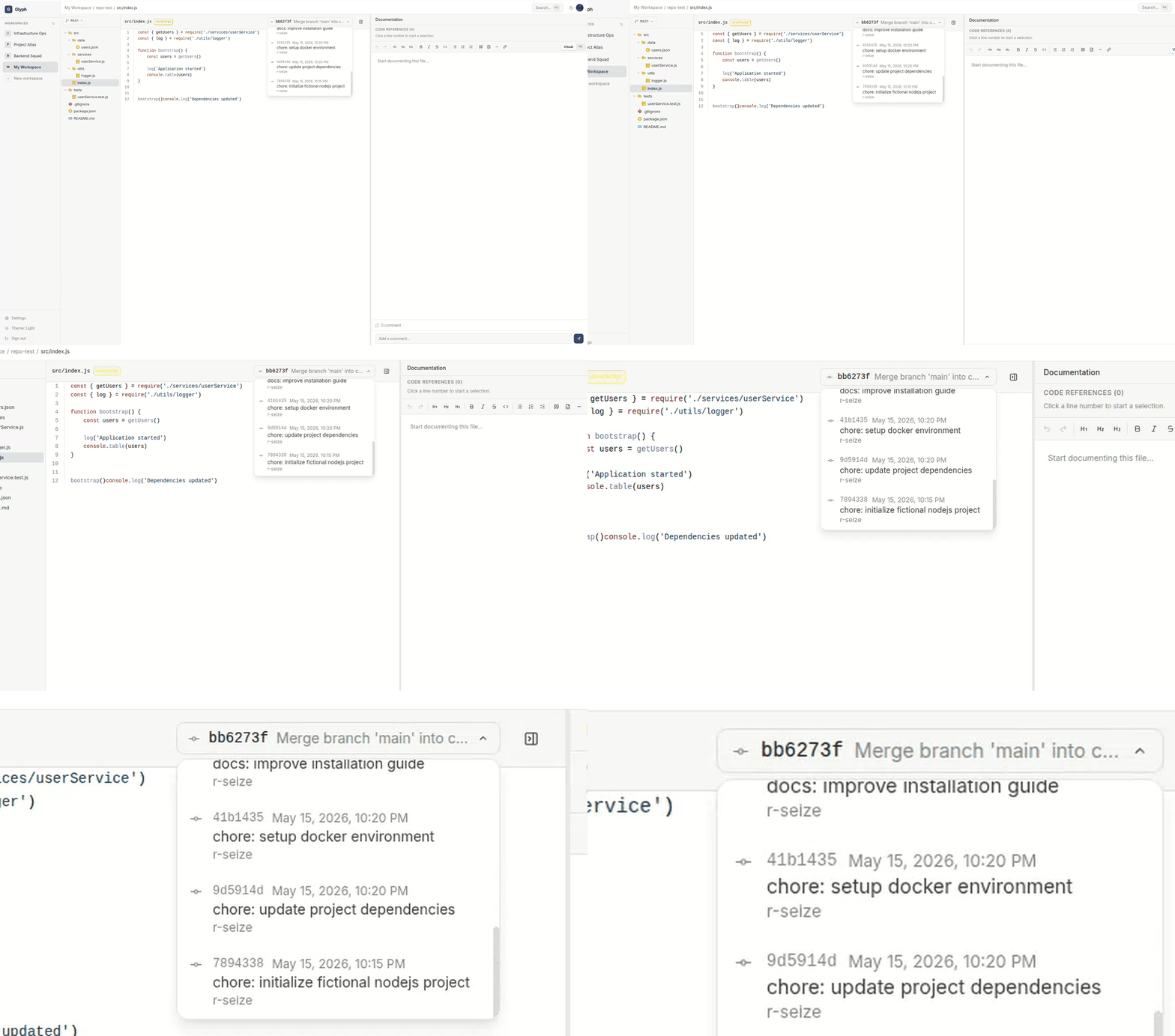
In the code panel toolbar, the commit picker shows the commits that touched the currently open file, filtered to the active branch.
Selecting an older commit shows:
- The file content as of that commit
- Documentation that was current at that commit (or none, if not yet written)
- Code references that existed at that commit
This is your history view - perfect for reviewing what was documented when a feature shipped, or seeing the docs alongside the code an old engineer wrote.
Default vs. selected branch
| Field | Where it's set | Used for |
|---|---|---|
| Default branch | Project settings | Auto-pull on sync, default view when opening the project |
| Selected branch | UI dropdown | What you're currently viewing in the session |
The selected branch is session-only - close the tab and you go back to the default branch.
Commits in the database
Every commit is stored with: SHA, message, author name and email, commit date. Glyph never modifies your repository - it's strictly read-only against your remote.
For Local Upload projects, Glyph creates commits on the local repo only. There is no push to a remote.
Cron-based sync (future)
Currently, sync is only triggered manually or after import. Scheduled background sync (e.g. every hour) is on the roadmap. For now, a server cron calling the sync API endpoint is a workable substitute.