features
Code Annotations
Annotate exact line ranges and reference them inline in your docs.
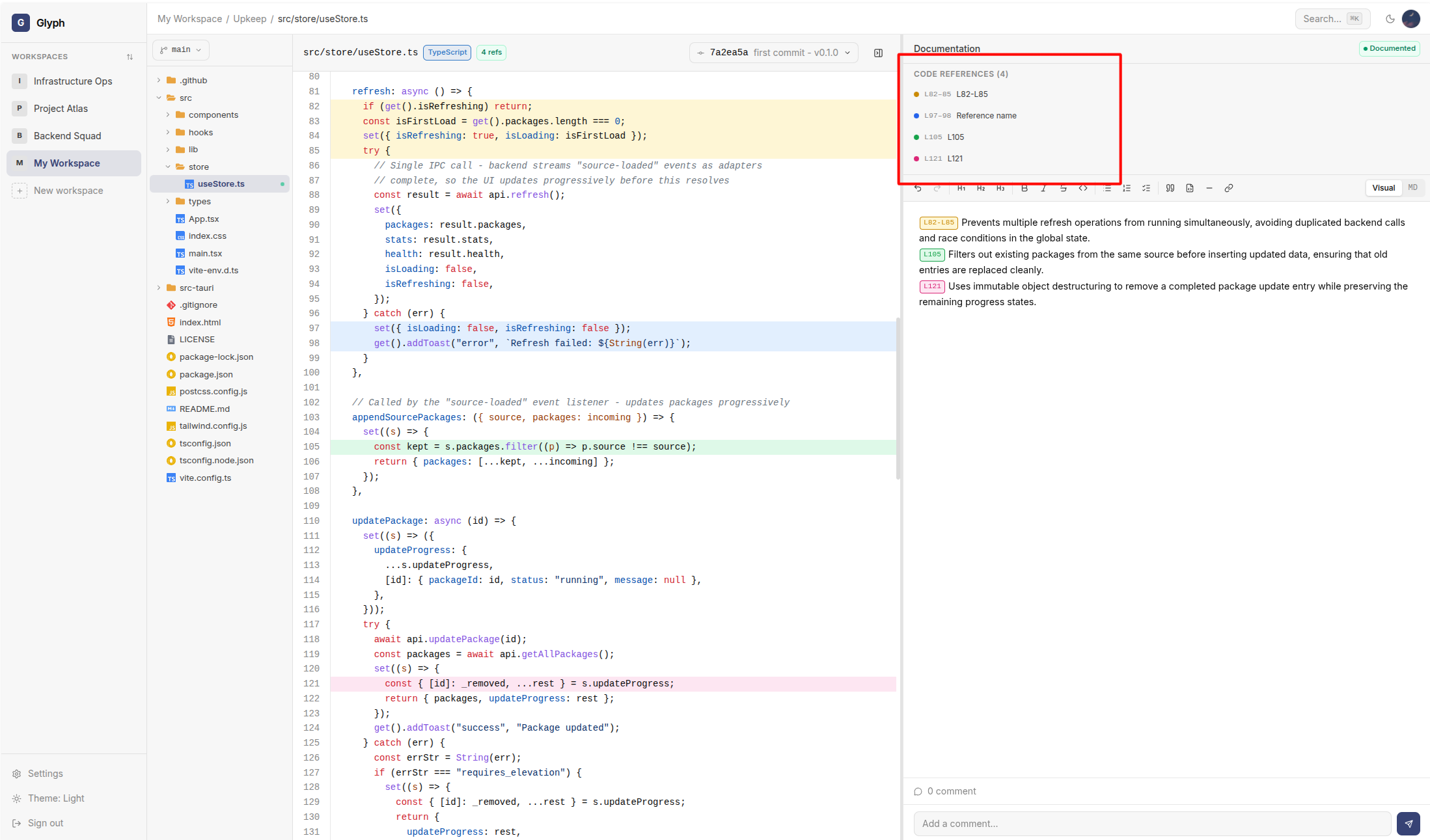
Code references are Glyph's most distinctive feature: instead of writing "see lines 45-60 in auth.py", you create a labeled reference and insert {{authentication-flow}} anywhere in your docs. Click the chip to jump straight to those lines.
Creating a code reference
- Open a file in a project.
- In the code panel, click a line number to start a selection. Shift+click another line to extend the range.
- The Code references panel on the right shows the selected range with a Create reference button.
- Give it a label (e.g.
auth-flow,password-validation) and optionally a color. - Click Save.
The reference is now stored against the file at the current commit. It shows up as a colored bar in the gutter and as a list entry in the panel.
Using a reference in documentation
In the doc editor:
- Type
{{to open a search popup of all references in the project. - Pick one - it's inserted as
{{label}}. - The chip is rendered inline with the reference's color.
Navigating from a reference
In rendered documentation:
- Click the chip - scrolls the code panel to the referenced lines and highlights them.
- Ctrl+click (or Cmd+click) - opens the referenced file in a new view.
Missing references
If a reference is renamed or deleted, any {{label}} that points to it renders as a red chip with a strike-through to flag the broken link. You can then either:
- Update the label in the editor
- Recreate the reference with the same label
References are commit-aware. A reference created on commit abc123 is visible when viewing the file at commit abc123 and any later commit where the reference is preserved.
Reference list panel
The references panel lists every reference in the current file, with:
- Label and color
- Line range
- Number of times it's used in documentation across the project
This makes it easy to spot orphan references or heavily-used ones.