features
Connecting Accounts
Connect GitHub and GitLab accounts using Personal Access Tokens.
To import private repositories from GitHub or GitLab, you need to connect at least one account. Glyph uses Personal Access Tokens (PATs) rather than browser-based OAuth, which lets you connect multiple accounts of the same provider - each PAT scopes to one identity.
Why PAT instead of OAuth?
Browser OAuth silently reuses the active GitHub/GitLab session in your browser. If you're already signed into your work account on GitHub, OAuth will always pick that account, even if you wanted to add a personal account. PATs bypass the browser session entirely.
Connecting GitHub
- In Glyph, go to Settings → Connected accounts and click Add a GitHub account.
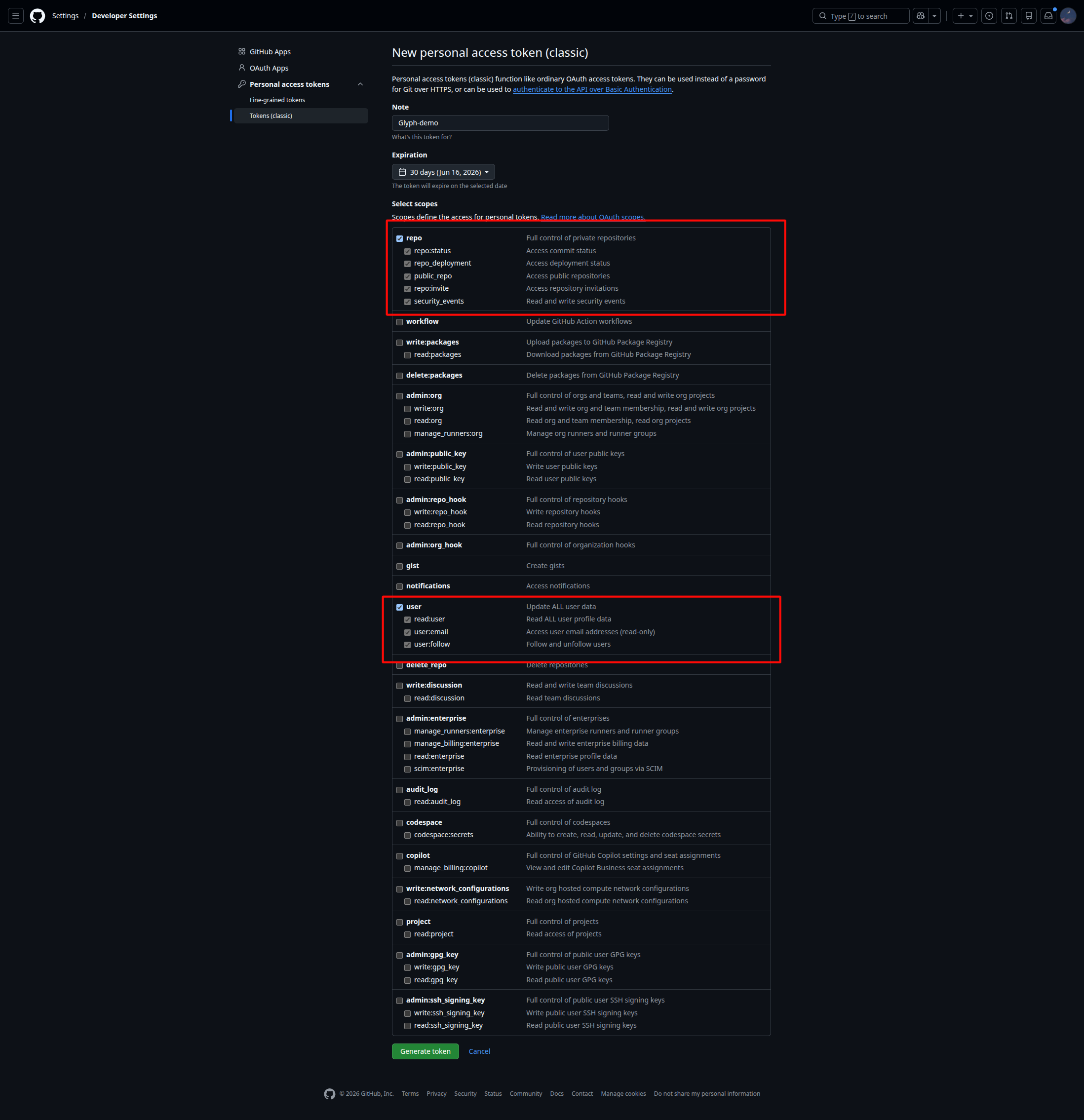
- In a new tab, open github.com and navigate to: Settings → Developer Settings → Personal access tokens → Tokens (classic) → Generate new token (classic)
- Give it a name (e.g.
Glyph), set an expiration, and select these scopes:repo(read access to private repositories)read:userread:org(only if you need org repositories)
- Generate the token, copy it, and paste it into the Glyph dialog.
- Click Validate. If the token is valid, your GitHub username and avatar appear in the connected accounts list.
Connecting GitLab
- In Glyph: Settings → Connected accounts → Add a GitLab account.
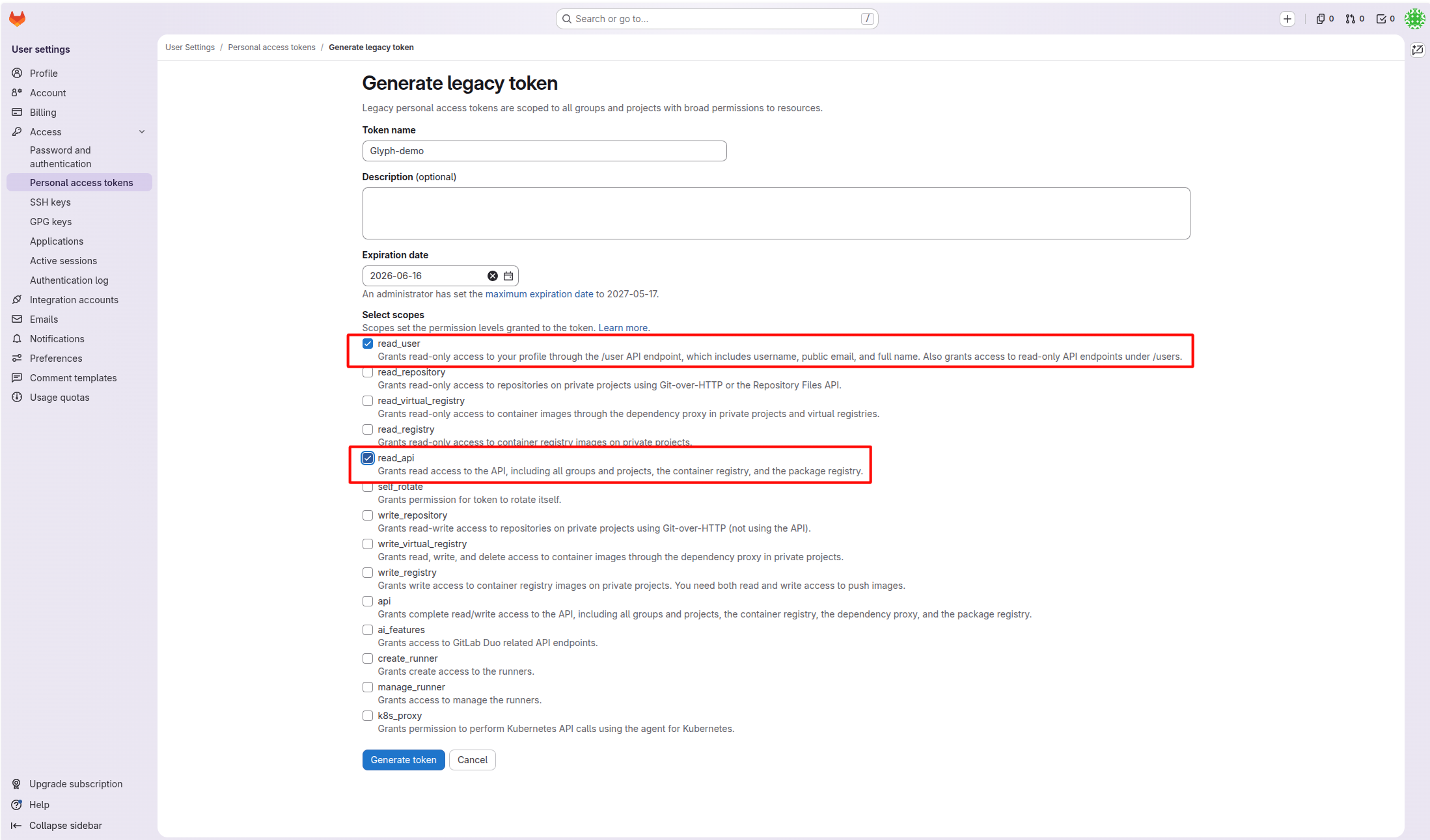
- On gitlab.com (or your self-hosted instance), go to: User Settings → Access Tokens → Generate legacy token (the new fine-grained tokens are not yet supported)
- Required scopes:
read_user,read_api. - Set an expiration date and copy the token.
- Paste it into Glyph and click Validate.
Multiple accounts
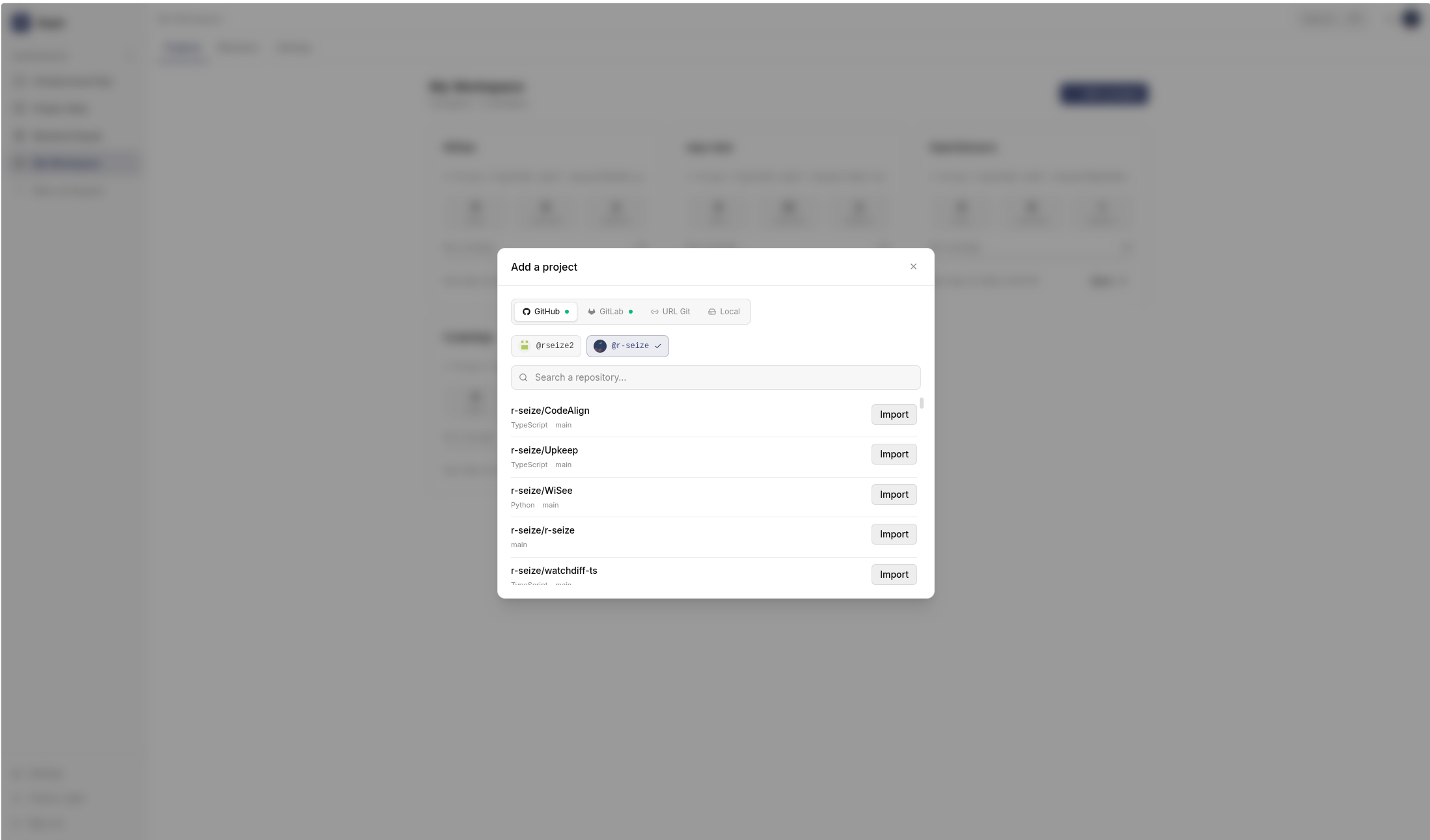
You can connect as many accounts as you want, of either provider. When importing a project, Glyph asks which account to use:
Tokens are encrypted
PATs are stored encrypted at rest using the backend's SECRET_KEY. They are never sent back to the browser - only used server-side to clone repositories on your behalf.
If you rotate or revoke a PAT on GitHub/GitLab, project syncs from that account will fail. Reconnect the account with a new token.
Next step
With at least one account connected, head to Importing a project.