features
Authentication
Sign up, sign in, and how Glyph manages your session.
Glyph uses email + password authentication backed by JWT tokens. Sessions are persistent across browser restarts and only invalidated on explicit sign-out or token expiry.
Creating an account
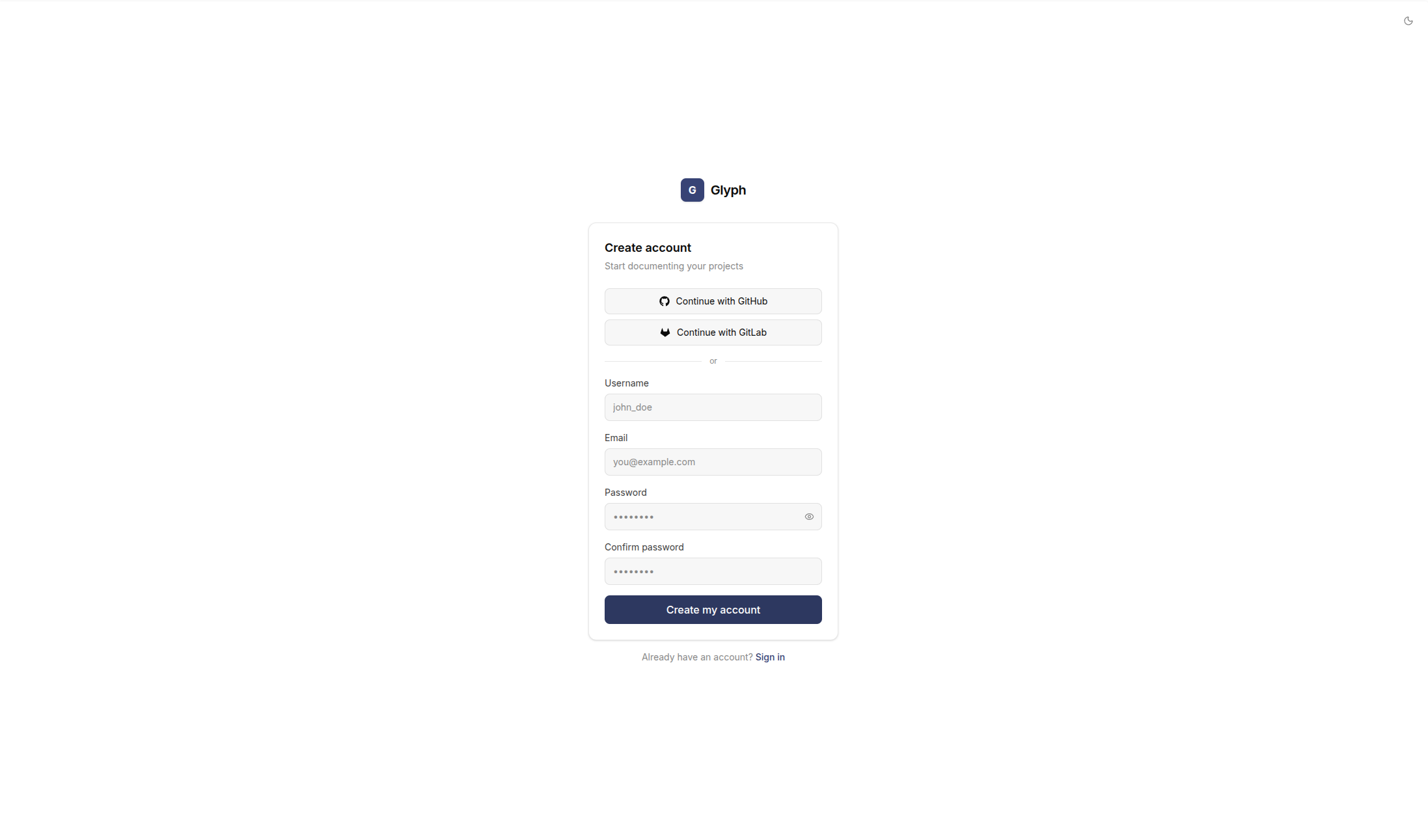
Go to /register and provide:
- A unique username (used for
@mentionsin documentation) - An email address (used for invitations and notifications)
- A password (8 characters minimum)
The first account created on a fresh Glyph instance becomes the default workspace owner. Subsequent accounts must be invited to a workspace before they can do anything useful.
Signing in
Sign in at /login with your email and password. On success you are redirected to the dashboard.
If you enter the wrong password, an error message appears in red below the form. The page does not reload - your input is preserved.
Forgot your password? Password reset is not yet exposed in the UI. As a workaround, an admin with database access can update the password_hash field directly.
How sessions work
Glyph issues a JWT access token on successful login. The token is stored in localStorage under the key glyph_token and sent as Authorization: Bearer <token> on every API request.
When a request returns 401 Unauthorized, the client clears the token and redirects to /login - except on the auth endpoints themselves, so a wrong password doesn't refresh the page.
Token lifetime is controlled by the backend's ACCESS_TOKEN_EXPIRE_MINUTES setting (default: long-lived for self-hosted convenience).
Signing out
Click your avatar in the top right and select Sign out. This clears the local token and redirects to /login.
Next step
Once signed in, connect a GitHub or GitLab account to start importing repositories.