getting started
Introduction
What is Glyph and why use it?
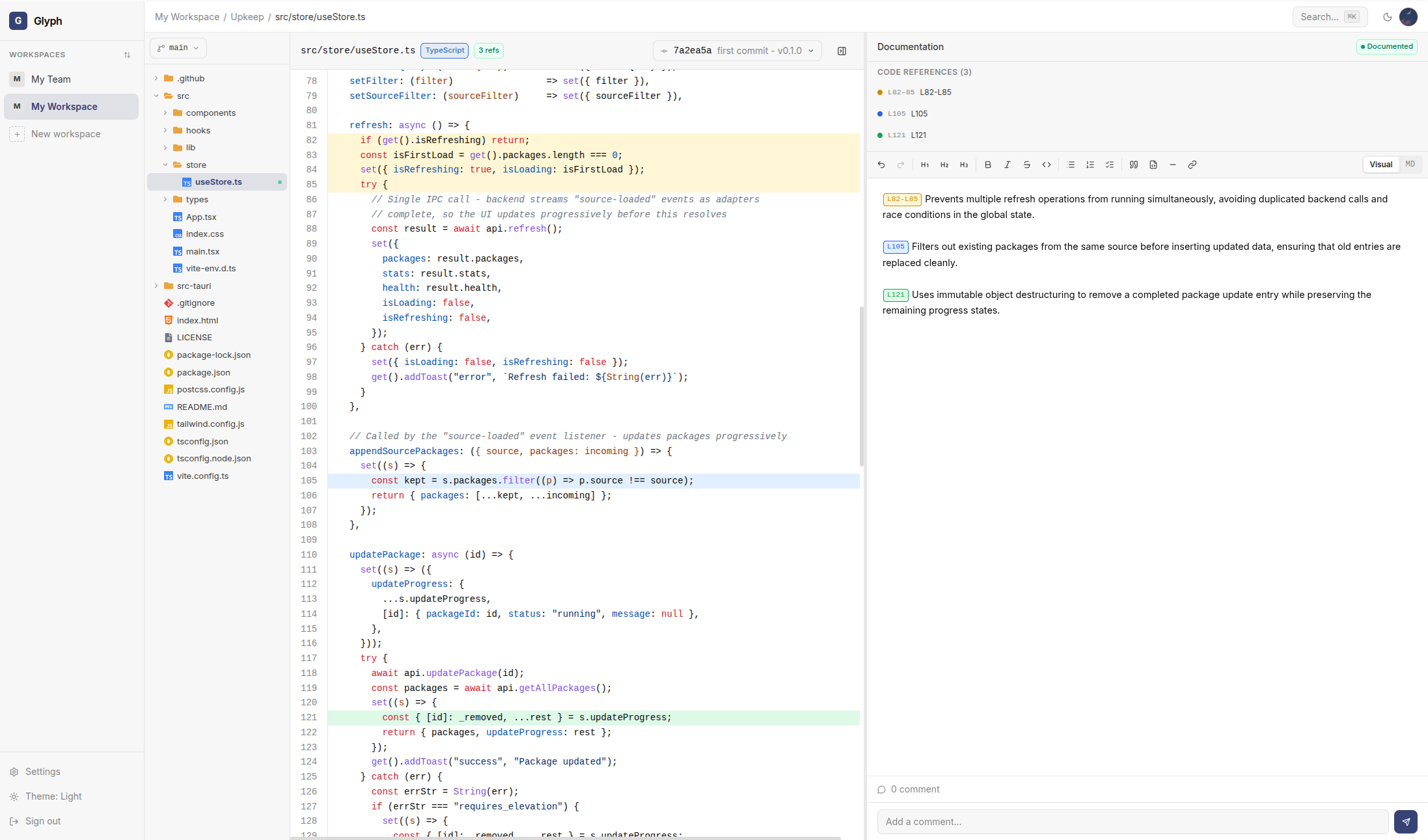
Glyph is an open-source platform for versioned code documentation. It lets you and your team annotate Git repositories - file by file, commit by commit - directly from your browser.
Think of it as a layer of structured notes that lives alongside your code, evolves with it, and survives every refactor.
The problem Glyph solves
Most teams document their code in three places:
- Inside the code - comments and docstrings, lost when files are moved or rewritten
- In a wiki - separate from the code, gets stale within weeks
- In tribal knowledge - leaves the team with the engineer
Glyph attaches documentation directly to a specific commit of a specific file. When you open a file in Glyph, you see the version of the docs that was current at that point in history. When the code changes, your old docs aren't lost - they remain visible on the older commit.
Core principles
- Documentation is versioned - every doc is tied to a
(file_path, commit_sha)pair - Code references are first-class - annotate exact line ranges and reference them inline (
{{my-ref}}) - Multi-source - import projects from GitHub, GitLab, any Git URL, or upload local folders
- Self-hosted - your data stays on your infrastructure, runs on Docker
What you get
- Side-by-side code viewer + WYSIWYG / Markdown editor
- File tree with branch and commit navigation
- Full-text search across files and documentation (Meilisearch)
- Workspaces with role-based access (admin, developer, viewer)
- Email or link-based member invitations
- Light and dark themes
When to use Glyph
Glyph fits best when you have:
- Large codebases that new contributors need to onboard onto
- Critical legacy code where the original authors are gone
- Internal libraries that are reused across teams
- Compliance or audit requirements that demand documented decisions
Next step
Head to Installation to set up Glyph on your machine.